Battlefield 6, also known as Battlefield 2042, has become one of the most anticipated shooters in recent times.
However, like any major game release, it comes with its fair share of problems.
Players have encountered various bugs, glitches, and performance issues that can ruin the overall gaming experience.
In this article, we will explore the 14 most common Battlefield 6 problems and provide solutions to fix them.
1. Low FPS and Lag Issues in Battlefield 6
One of the most common complaints among Battlefield 6 players is low FPS (Frames Per Second) and lag. These issues significantly affect gameplay, making the game difficult to enjoy.
Fix:
- Update Graphics Drivers: Make sure your GPU drivers are up to date.
- Adjust in-game settings: Lower graphic settings, reduce resolution, or disable V-Sync.
- Optimize system settings: Ensure your system meets the minimum requirements, and close background applications to free up resources.
2. Crashing During Startup
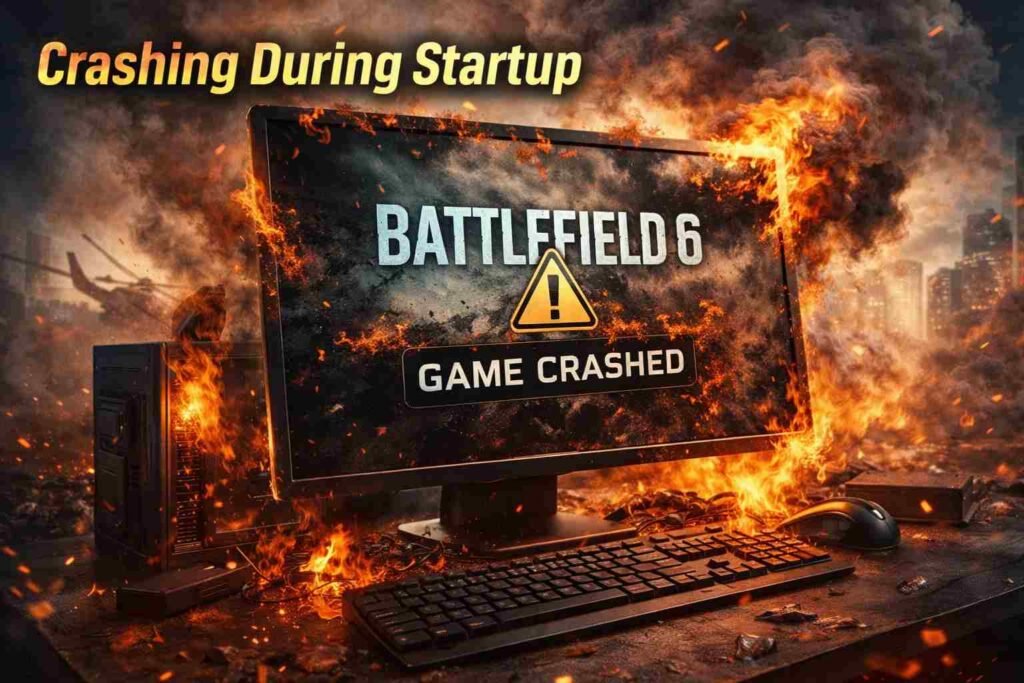
Another frustrating problem is when Battlefield 6 crashes during startup, preventing players from even getting into the game.
Fix:
- Verify Game Files: Use the game launcher (Origin/Steam) to verify and repair the game files.
- Update DirectX: Ensure you have the latest version of DirectX installed on your system.
- Run as Administrator: Run the game as an administrator to avoid permission-related issues.
3. Server Connection Issues and Errors
Server-related issues, such as “connection lost” or “unable to connect to the server” messages, often prevent players from joining multiplayer matches.
Fix:
- Check EA’s Server Status: Verify if the servers are down for maintenance or facing issues.
- Change Server Region: In some cases, switching to a different server region can improve connection stability.
- Use a Wired Connection: Wi-Fi can sometimes cause interruptions, so use an Ethernet cable for a stable connection.
4. Stuttering and Frame Freezing
Stuttering or freezing during gameplay can break immersion and make it difficult to play Battlefield 6 smoothly.
Fix:
- Turn off Background Apps: Close unnecessary apps running in the background that could affect system performance.
- Disable Full-Screen Optimization: Right-click the game icon > Properties > Compatibility > Disable Full-Screen Optimization.
- Increase Virtual Memory: Adjust your system’s paging file settings to improve overall performance.
Read Also : Common Anthem Game Problems (With Fixes)
5. Missing Textures and Visual Glitches
Some players report visual glitches such as missing textures, which can make it impossible to see important details in the game.
Fix:
- Verify Integrity of Game Files: As mentioned, ensure all game files are properly installed and intact.
- Adjust Video Settings: Lower your graphical settings, especially texture quality, to fix missing textures.
Read Also : Simple & Easy Ways That How to Refund in Fortnite
6. Sound Issues – No Sound or Distorted Audio
Audio issues such as no sound or distorted audio are also common in Battlefield 6.
Fix:
- Check Audio Output Settings: Ensure your audio output device is properly configured in both the system and the game.
- Update Audio Drivers: Ensure your sound card drivers are up to date.
- Reinstall the Audio Drivers: If the issue persists, reinstalling the audio drivers might help.
Read Also : Simple & Easy Ways That How to Update Fortnite
7. Battlefield 6 Multiplayer Matchmaking Problems
Matchmaking problems, such as long waiting times or unfair matches, often plague multiplayer games, and Battlefield 6 is no exception.
Fix:
- Check for Updates: Ensure the game is updated to the latest version, as some fixes might be related to matchmaking.
- Adjust Region Settings: If you experience long waiting times, try adjusting the region to find a more active server.
8. Stuck on Loading Screen
Some players find themselves stuck on the loading screen, which can prevent them from joining a match.
Fix:
- Restart the Game: Close the game and relaunch it to see if the issue resolves itself.
- Clear Cache: For PC players, clearing the cache files can help fix loading screen issues.
- Reinstall the Game: As a last resort, uninstall and reinstall the game.
9. Rubberbanding – Lag and Teleporting Players
Rubberbanding occurs when a player’s character “teleports” or moves erratically due to high ping or server problems.
Fix:
- Use a Wired Connection: A stable Ethernet connection often fixes rubberbanding caused by Wi-Fi instability.
- Close Background Processes: Close unnecessary apps or processes that could be using your internet connection.
- Change Server Region: Select a different region with lower ping.
10. Not Being Able to Join a Party or Friends
Some players cannot join parties or play with their friends, which makes the multiplayer experience less enjoyable.
Fix:
- Check Game Permissions: Ensure the game has the necessary permissions to access social features like voice chat and party join.
- Verify Friends List: Sometimes, players have to manually re-add friends if their connections aren’t working correctly.
- Restart the Game: Restart the game and try inviting friends again.
11. High Ping and Lag Spikes
Ping issues, such as high ping and lag spikes, affect players’ ability to interact with the game world smoothly.
Fix:
- Switch to a Wired Connection: A wired connection provides better stability and lower ping than Wi-Fi.
- Change Server Region: Sometimes switching to a different region with lower server load can reduce lag spikes.
- Optimize Network Settings: Adjust your router settings or use a VPN to connect to a server closer to your region.
12. Battlefield 6 Low-Resolution Texture Artifacts
Players may notice low-resolution textures or blurry graphics, especially when using high settings.
Fix:
- Update GPU Drivers: Keeping your graphics card drivers updated can resolve visual issues.
- Reduce Graphic Settings: If your system isn’t meeting the game’s high-end graphics demands, lowering settings can improve texture quality.
13. Battlefield 6 Stuck in Black Screen
A black screen while loading or after launching the game is another frustrating problem.
Fix:
- Run as Administrator: Run the game with administrator privileges.
- Check Display Settings: Ensure the game is set to the correct resolution that your monitor supports.
- Update Graphics Drivers: Outdated graphics drivers can often cause display issues.
14. Battlefield 6 Game Stutters After Update
After a game update, some players notice stuttering, even though their settings and hardware are fine.
Fix:
- Check for Additional Patches: Sometimes, a post-update patch will resolve stuttering issues.
- Rollback to Previous Driver Version: If the issue started after a driver update, rolling back to a previous version may help.
- Adjust In-Game Settings: Lower some in-game graphical settings until the issue is resolved.
Conclusion:
Battlefield 6 can be an amazing experience if the game runs smoothly, but like any complex game, it does come with its share of problems. From low FPS to connection errors, the issues are varied, but most can be fixed with a few simple adjustments. By following the solutions provided for the most common issues, players can significantly improve their gaming experience. If you encounter a problem not covered in this list, be sure to check for updates or visit the official Battlefield forums for additional support.
FAQs – Common Battlefield 6 Problems
Q1: How can I improve the FPS in Battlefield 6?
- You can improve FPS by lowering your graphics settings, updating your drivers, and ensuring your system meets the minimum game requirements.
Q2: Why does my game keep crashing during startup?
- This can be caused by corrupted files or outdated system software. Verify the game files and make sure your system is up to date.
Q3: Why am I getting disconnected from servers in Battlefield 6?
- This could be due to server maintenance or network instability. Check EA’s server status and try changing the server region for a better connection.
Q4: How can I fix rubberbanding in Battlefield 6?
- Rubberbanding is often caused by network instability. Try switching to a wired connection and reducing background processes on your system.
Q5: What can I do if I am stuck on the loading screen in Battlefield 6?
- Restart the game, clear cache files, or reinstall the game if the issue persists.